
LEARN WITH DEX ZERO / APP MODE
Point to it.
Change it.
Open your app in DEX Zero. Select a part of its interface on iPad, resize it, and apply the change to the project on your Mac.
Follow the six steps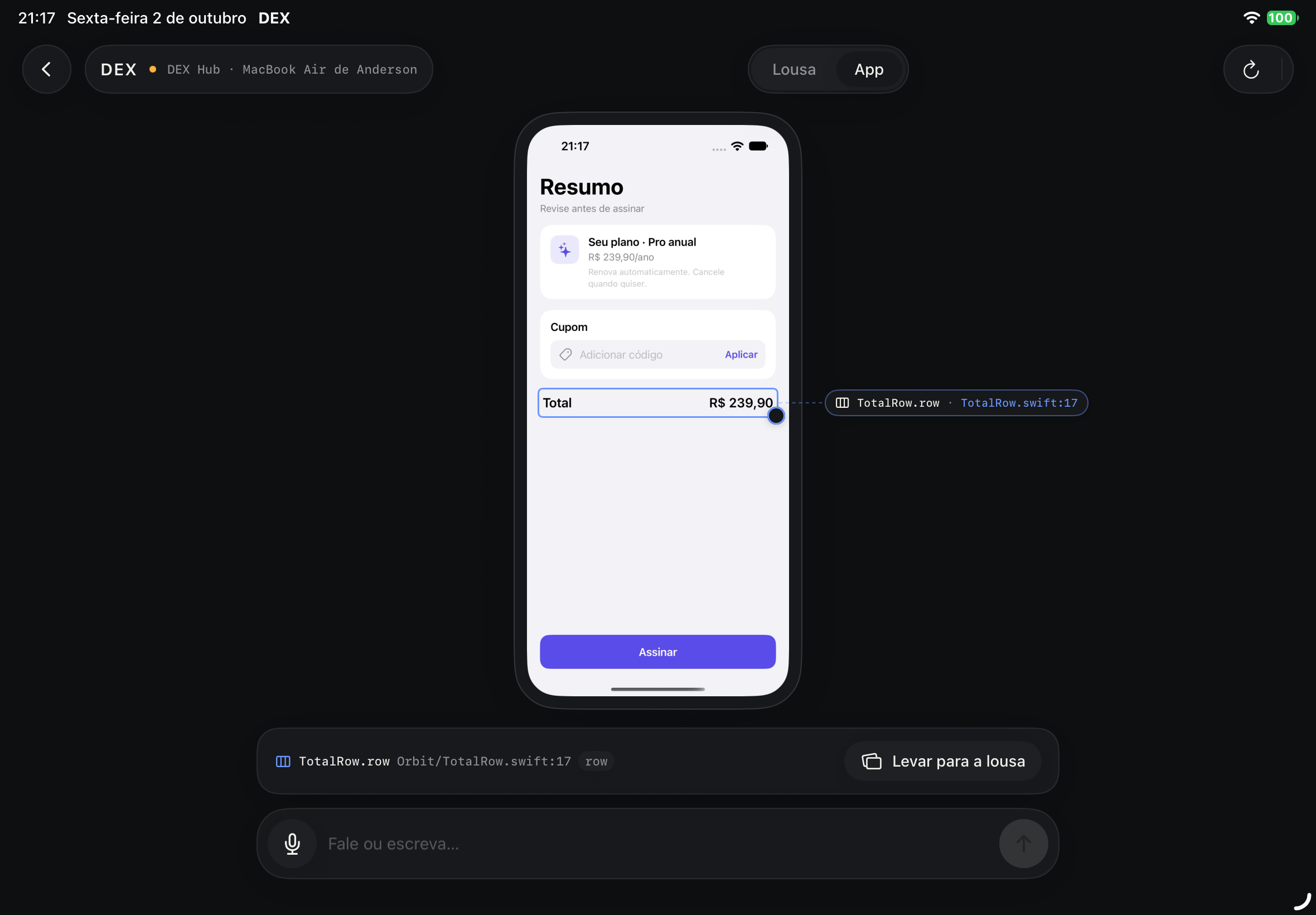
BEFORE YOU START
One app.
Two devices.
Your SwiftUI app runs in the iOS Simulator on your Mac. DEX Zero Hub connects that project to DEX Zero on iPad.
This walkthrough uses Orbit, a small checkout app with its interface elements already identified for DEX Zero.
Set up DEX Zero HubWork out the idea.
Draw, annotate, and keep references on the board. App screenshot puts a screenshot here.
Edit the running app.
Select an identified element, preview a change, and use Apply to code to update its source.
YOUR FIRST EDIT / ORBIT
Make the button taller.
Follow the change.
Each step shows a real capture from the recorded test, made with DEX Zero set to Portuguese. The steps use the English app’s labels, with the Portuguese in parentheses. Choose a step to see its screen.
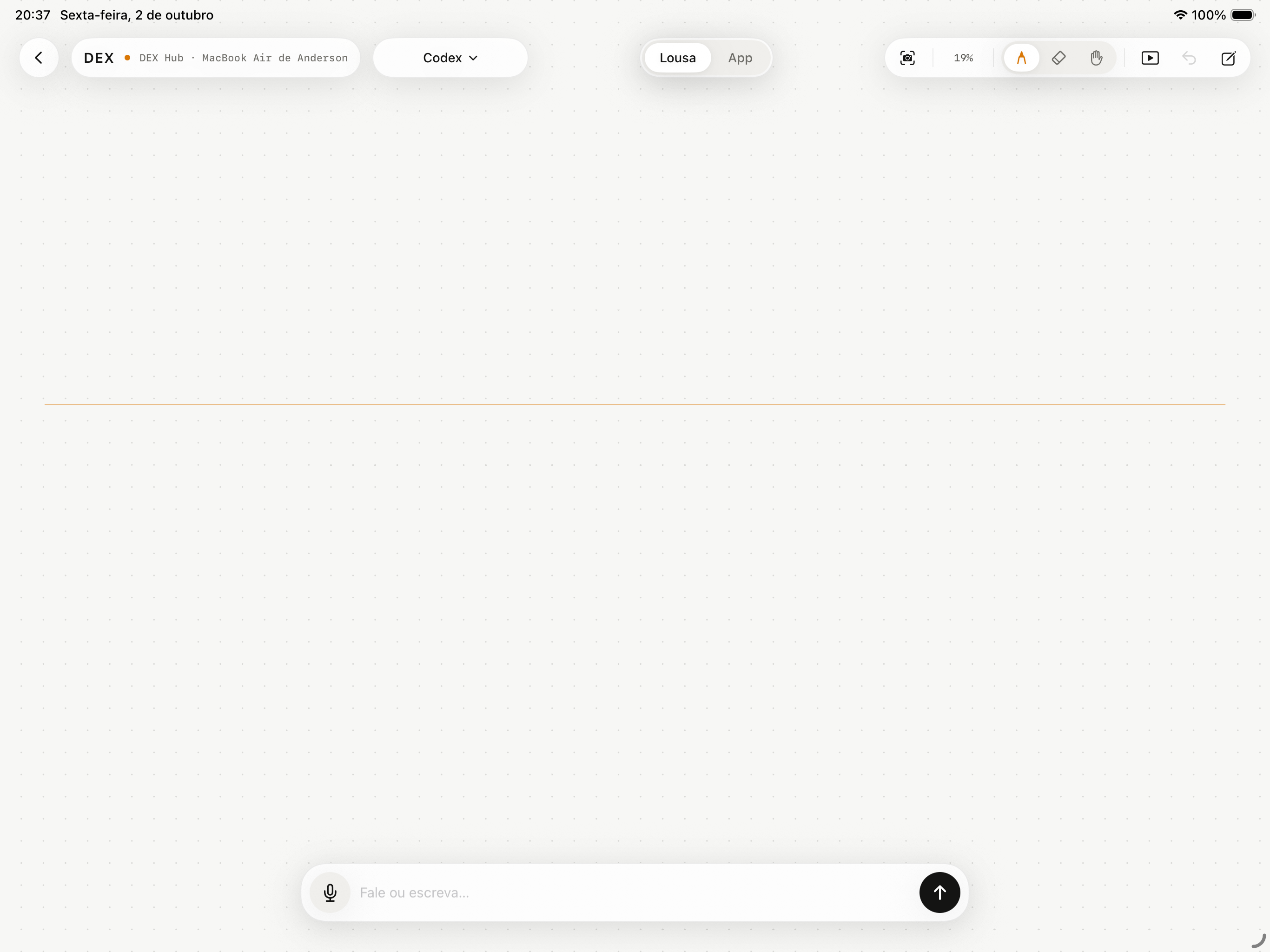
Connect your Mac.
Open DEX Zero Hub on your Mac. In DEX Zero on iPad, choose the Hub, paste the secure pairing key copied from Hub, and open a board.
The connected board shows Board and App in the top bar (Lousa and App in these Portuguese captures).
THE RESULT, IN THE RUNNING APP
From 52
to 100 points.
The button keeps its width. Its height changes in SwiftUI, and the rebuilt Orbit app shows the result. Undo restores the original size.
- Apply
- 26.21s
- Undo
- 6.22s
Times from this recorded run on October 2, 2026.
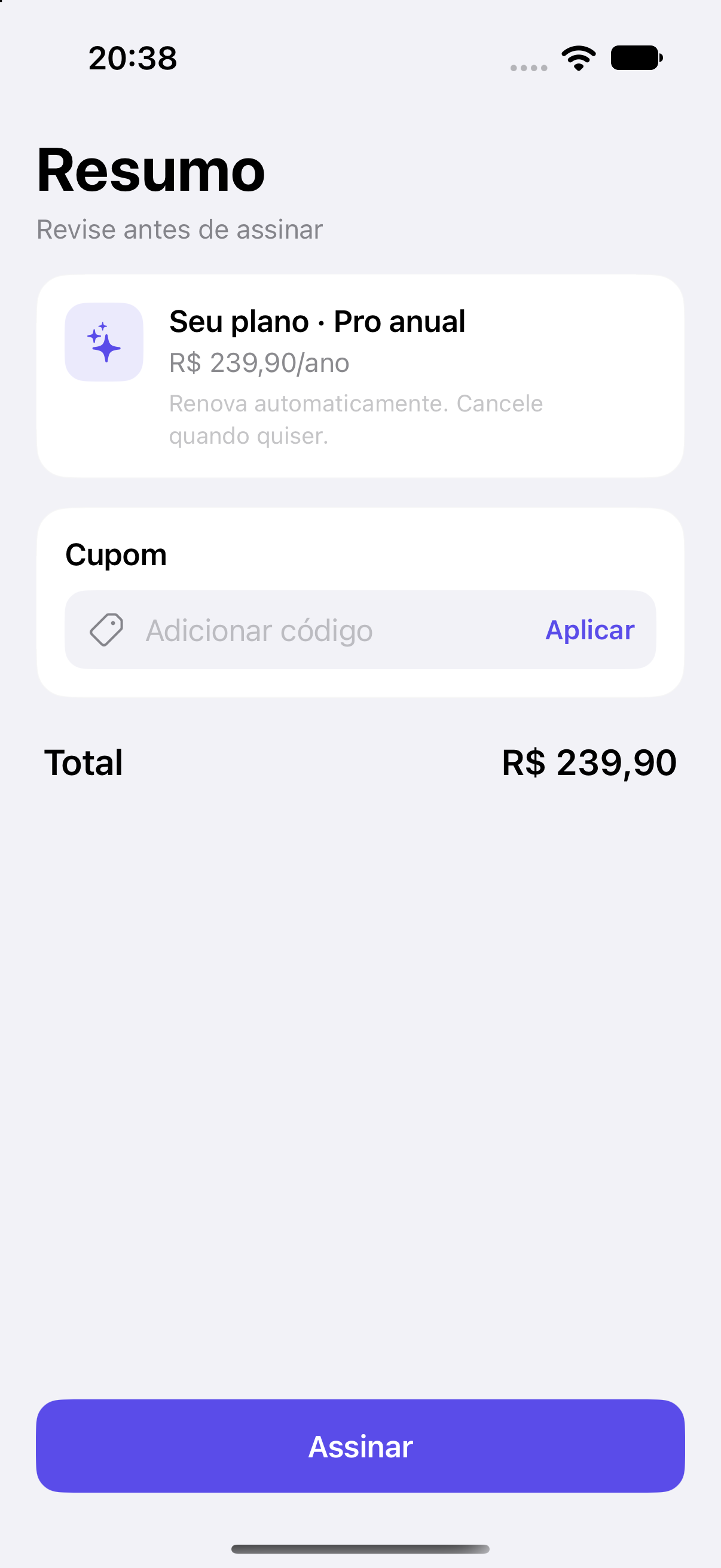
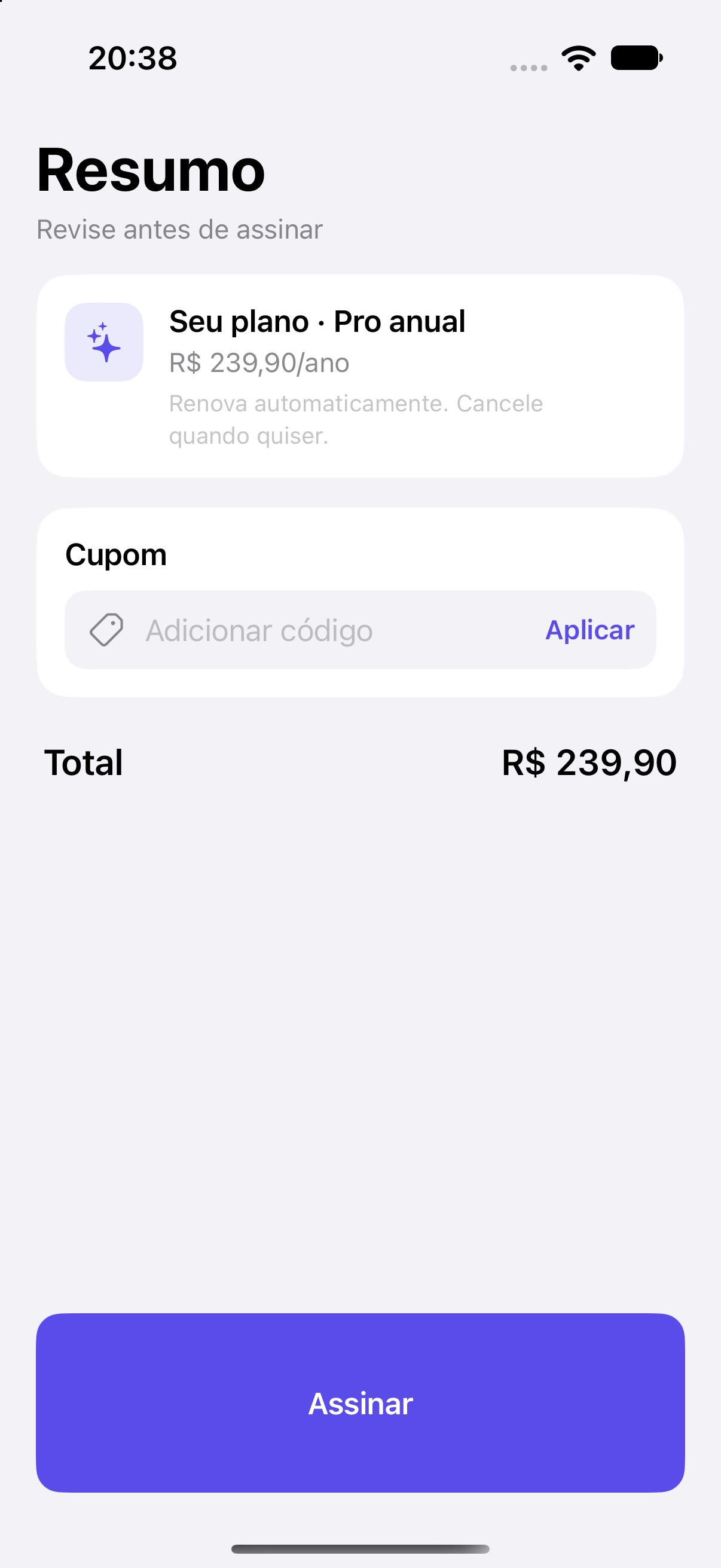
Actual iPhone Simulator captures · Orbit sample app
A FEW THINGS TO KNOW
The app.
The board.
Where does the app run?
The target SwiftUI project runs in an iOS Simulator on the Mac. The Hub sends its captured screen and identified elements to your iPad. Configure the target project in DEX Zero Hub before opening App.
When does the source change?
Dragging the handle creates a preview. Tap Apply to code to ask the agent to edit the SwiftUI source. The Hub rebuilds the app and refreshes the view after checking the result.
Why is my app screenshot on the board?
App screenshot places a reference on the board. To select elements and edit their source, tap App beside Board in the top bar. The app appears centered, with an outline and source label when you select an element.
How were these captures made?
The opening screen is a real physical iPad capture, displayed inside an illustrated device frame. App mode and layer selection were confirmed on that iPad. The six-step apply-and-undo journey and Orbit comparison were recorded in iOS simulators using the real Hub and coding agent. All app screens come from the October 2 test and show DEX Zero in Portuguese. In the English app, Lousa is Board, Aplicar no código is Apply to code, Desfazer is Undo, and Print do app is App screenshot. Orbit, the sample app, is written in Portuguese in every language.
Capture detailsMORE TO MAKE / ON THE BOARD
Plan a web app.
Sketch the Forma finance dashboard on the board, then take the brief to a coding agent on your Mac. A separate written lesson for building a web project.